
MOF - Front Desk Reception Agent,
AI virtual front desk that never sleeps
MOF - Front Desk Reception Agent — Healthcare Case Study
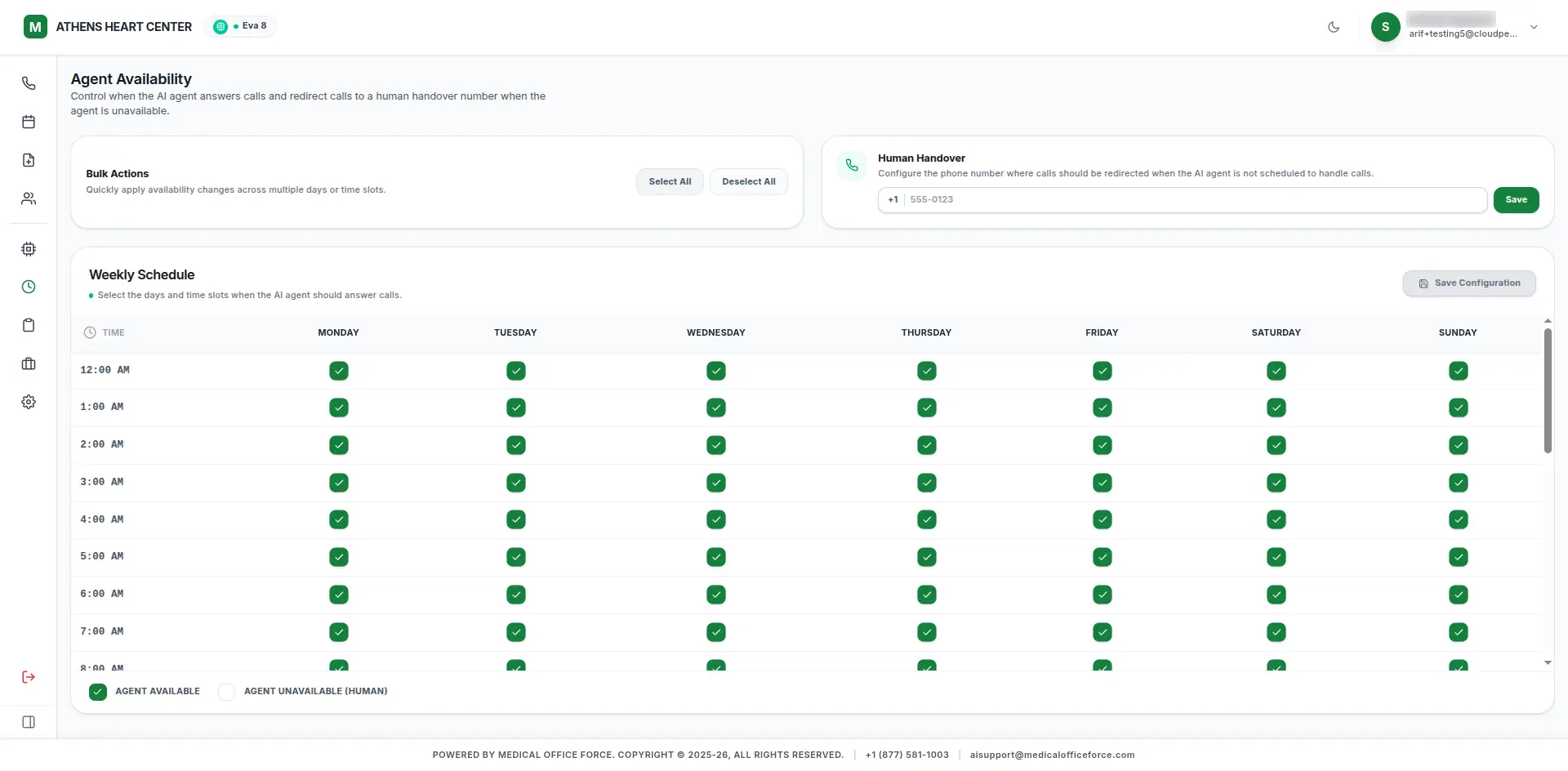
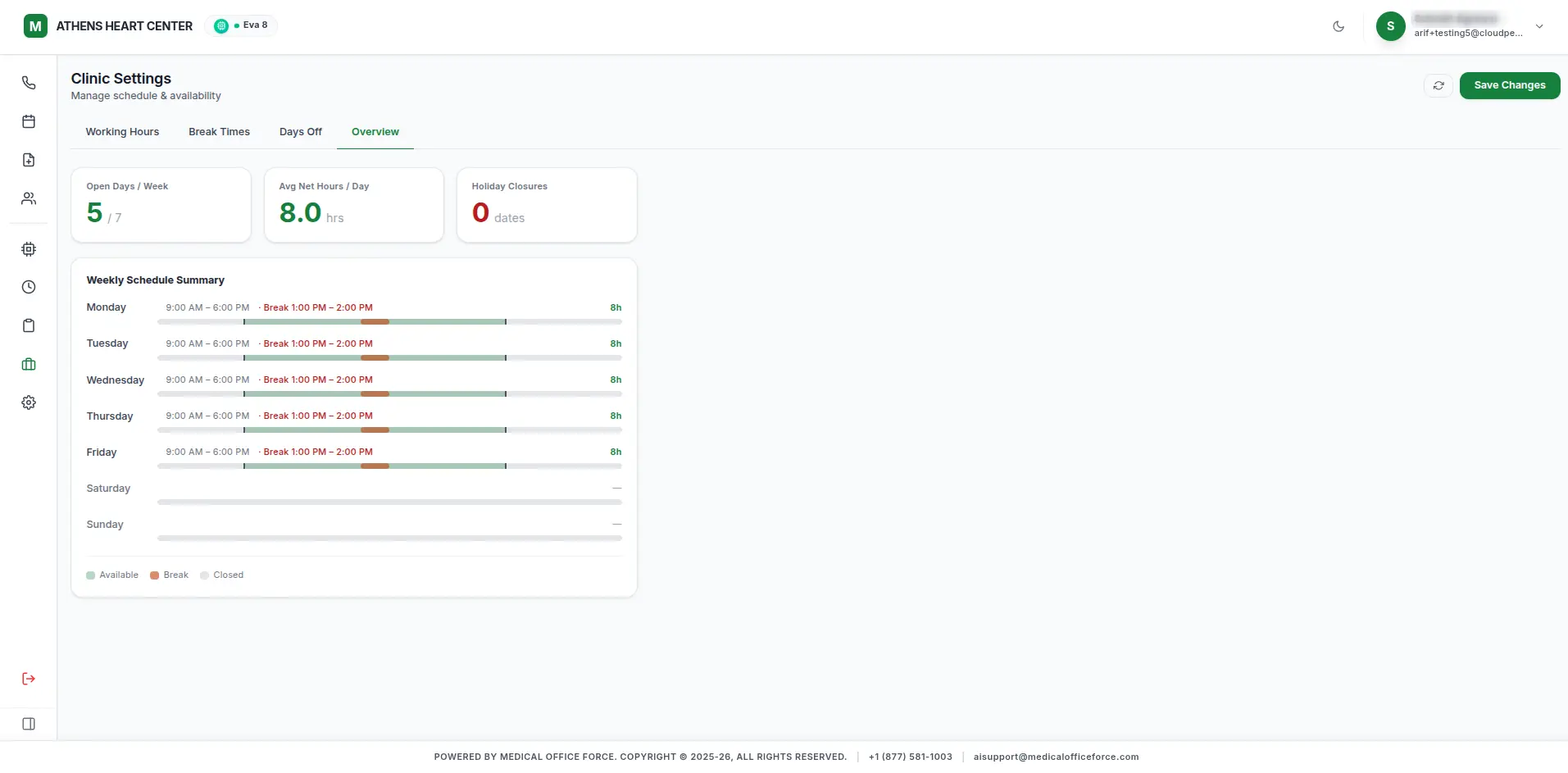
Automates appointment scheduling, reminders, and prescription refills with an AI virtual receptionist that handles patient calls 24/7 — built end-to-end by Woyce.
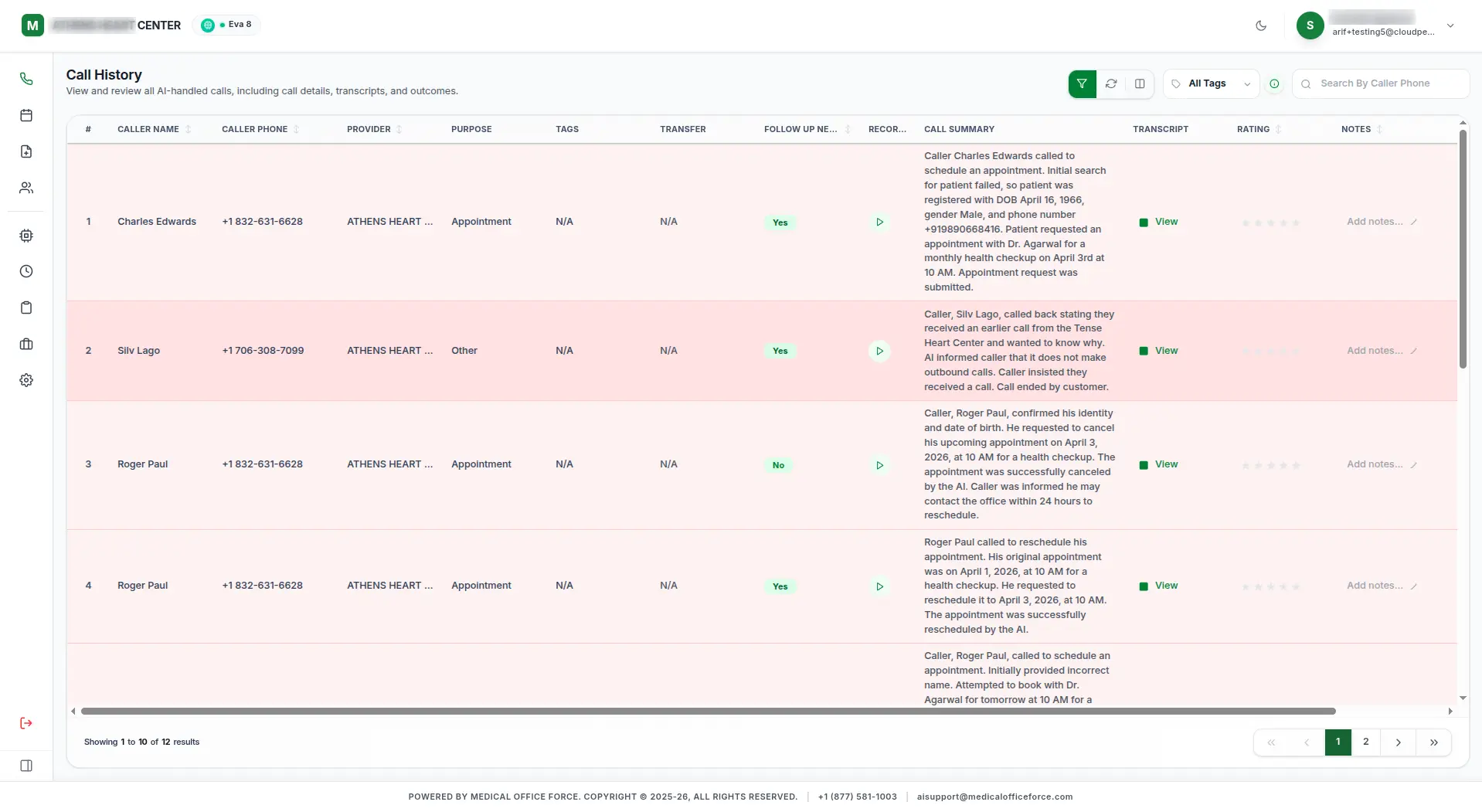
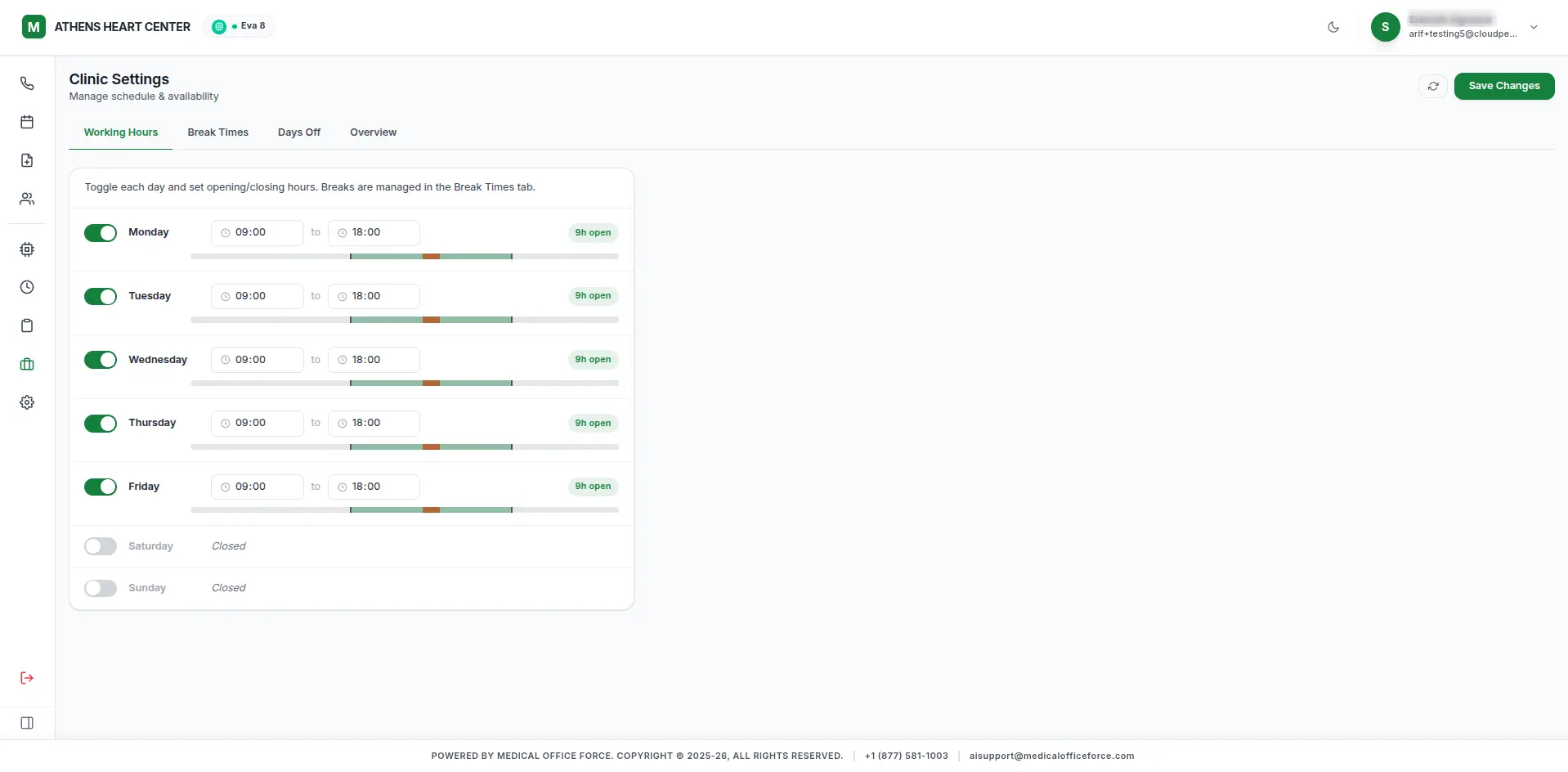
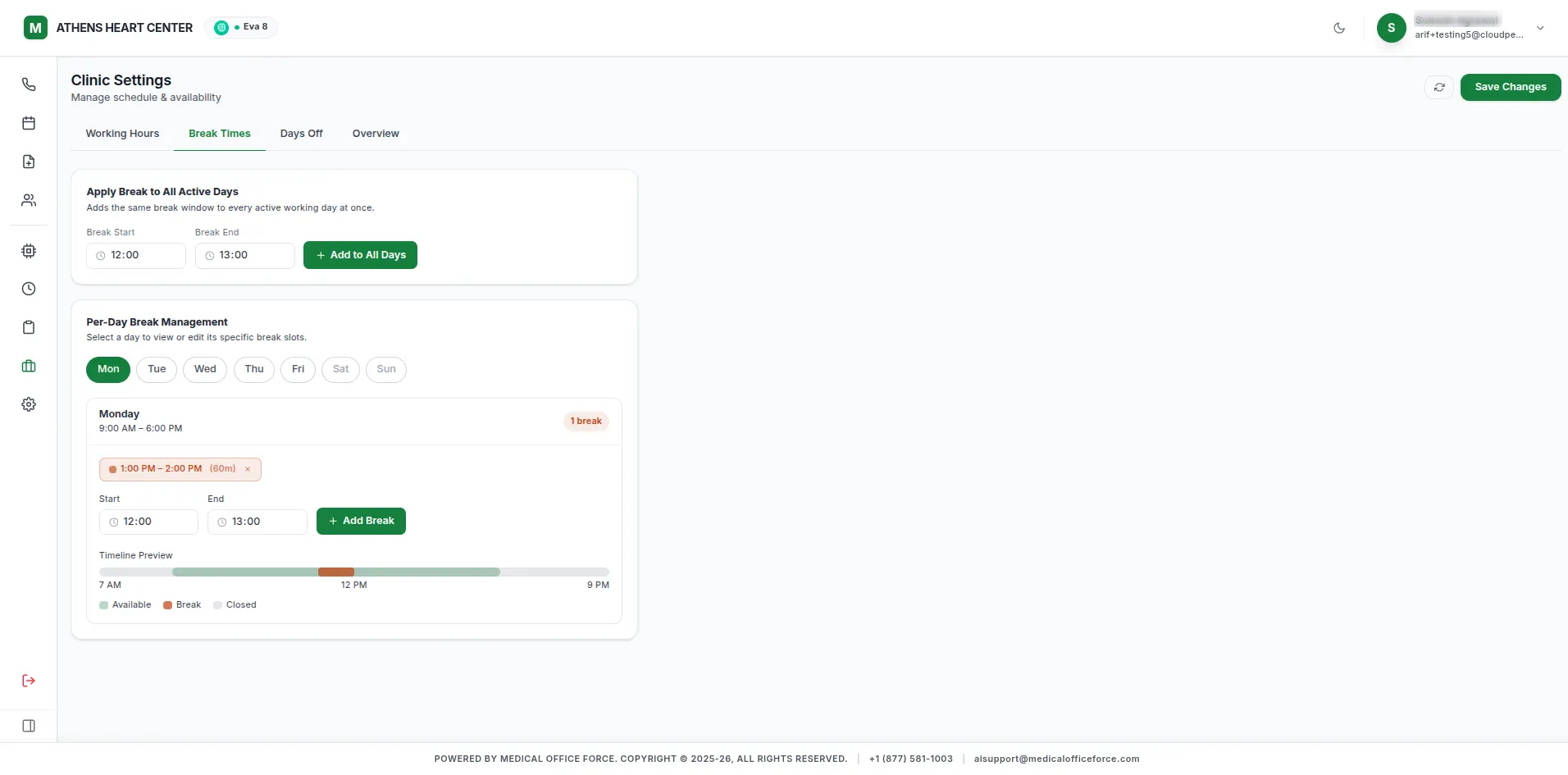
PLATFORM CAPABILITIES
Built end-to-end for Medical Office Force — the AI voice agents and modules that power their front desk operations.
Patient-facing AI that works like a virtual front desk and care support team.
Designed for clinics serving diverse populations — built directly into the agent.
AI-Powered Insights
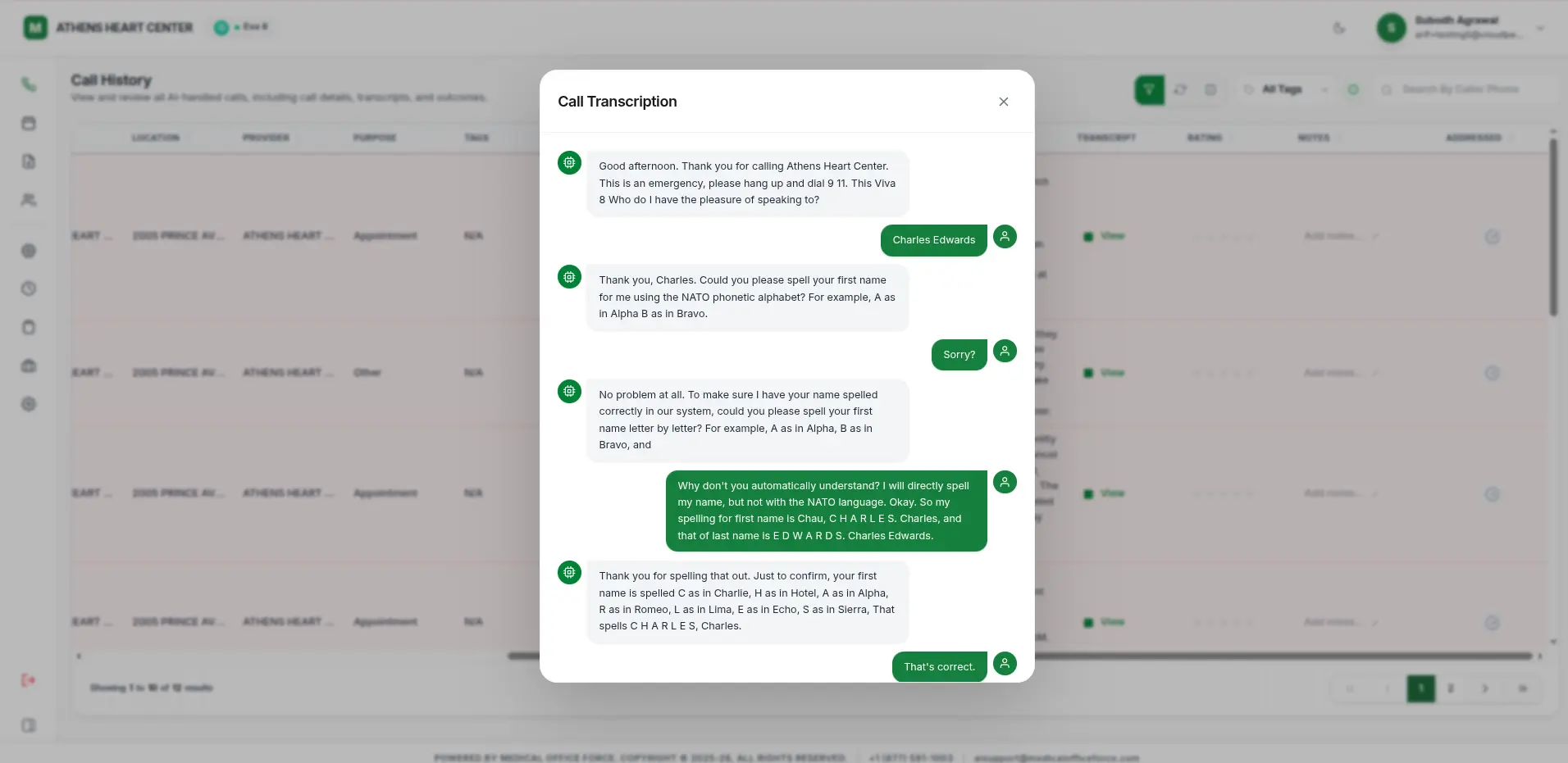
The reception agent we built doesn't just talk — it understands medical context, detects urgency, and logs actionable insights instantly into every call record.
Instantly detects patient emotion to handle sensitive situations with care.
Automatically categorizes calls as appointments, emergencies, or refills.
Every call is transcribed and searchable, instantly attached to patient records.
HOW IT WORKS
Link your system to our AI securely.
Upload your practice protocols and FAQs.
Go live with a 24/7 intelligent voice agent.
Three numbers that
tell the story upfront.
Reduction in front-desk call volume
Automates appointment scheduling, reminders, and prescription refills with an AI virtual receptionist that handles patie…
Fewer no-shows
Automates appointment scheduling, reminders, and prescription refills with an AI virtual receptionist that handles patie…
Average scheduling time
Automates appointment scheduling, reminders, and prescription refills with an AI virtual receptionist that handles patie…
Before we got here,
here's what wasn't working.
MOF Front Desk Reception Agent replaces the traditional receptionist workflow with an intelligent AI assistant that handles inbound patient calls and messages around the clock. Powered by OpenAI and Twilio, it schedules appointments, sends reminders, processes prescription refill requests, and escalates complex cases to human staff — all without adding headcount.
We confirmed every challenge with the team before writing a line of production code. The right column lists the pain points we tackled head-on and how we approached each one.
What wasn't working
BEFOREHandling ambiguous patient utterances in voice calls
Fine-tuned prompt engineering with intent fallback chains and a human-escalation trigger when confidence drops below a threshold.
Insurance API rate limits during peak morning hours
Implemented a request queue with exponential back-off and a local cache for recently verified policies.
3 features that
define the product experience.
Every feature was scoped and shipped with the same priorities: speed, reliability, and staying out of the user's way.
24/7 AI Appointment Scheduling
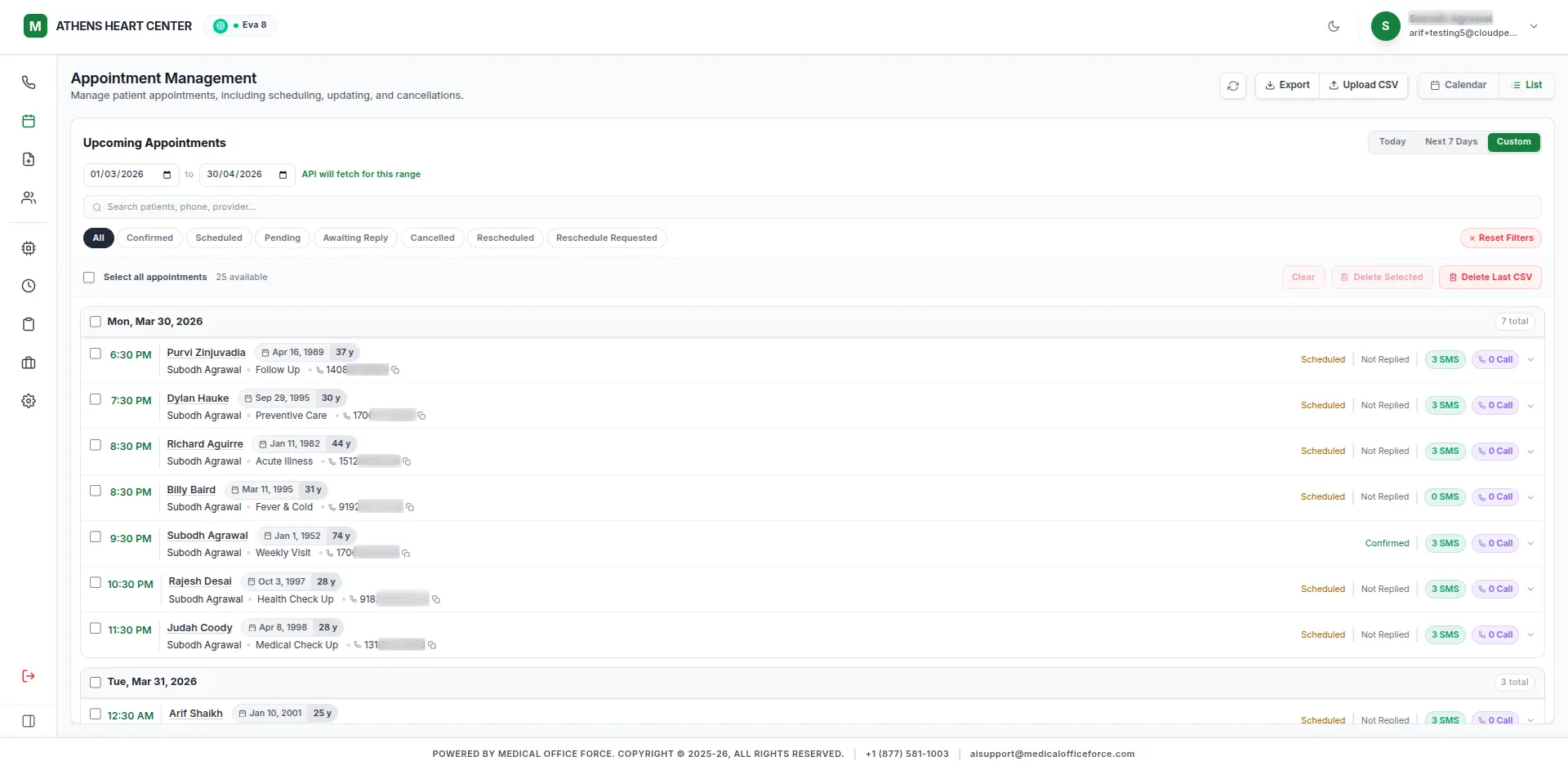
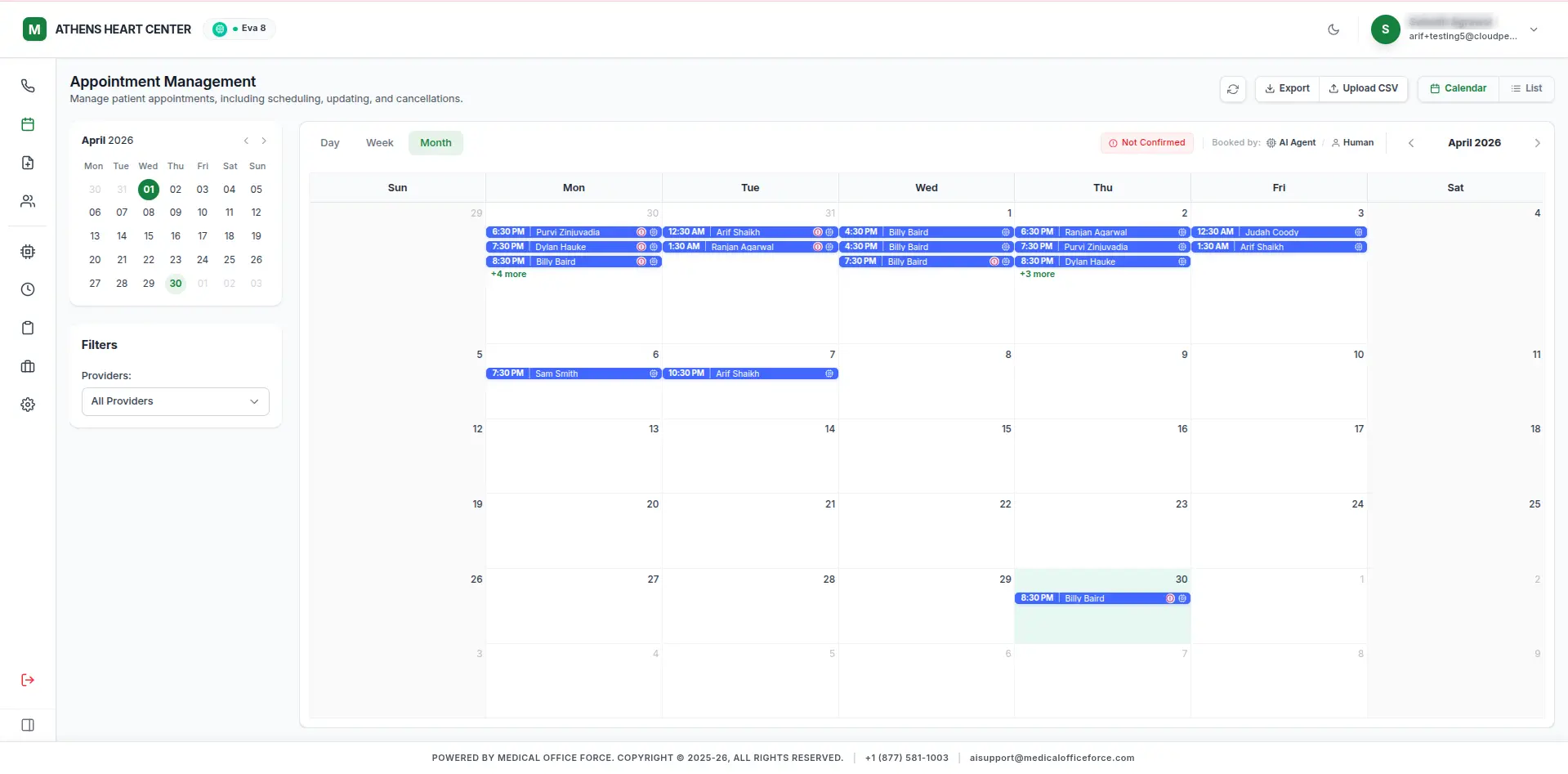
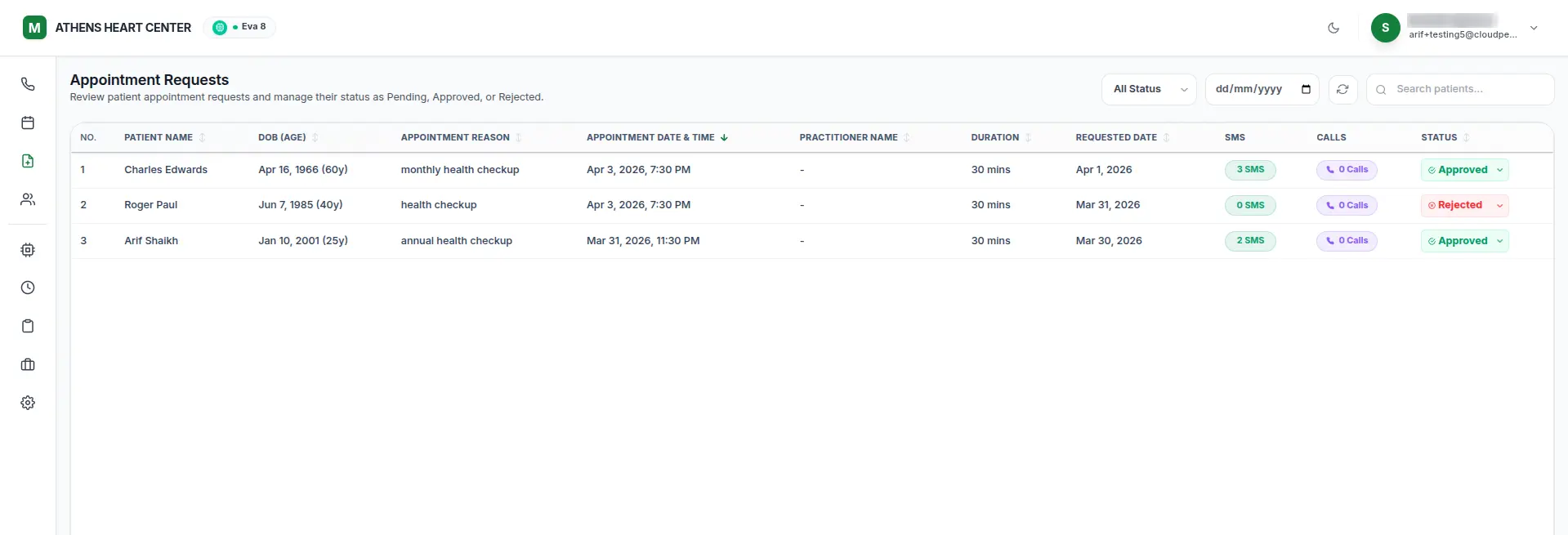
Patients can book, reschedule, or cancel appointments via voice or chat without waiting for office hours.
Prescription Refill Requests
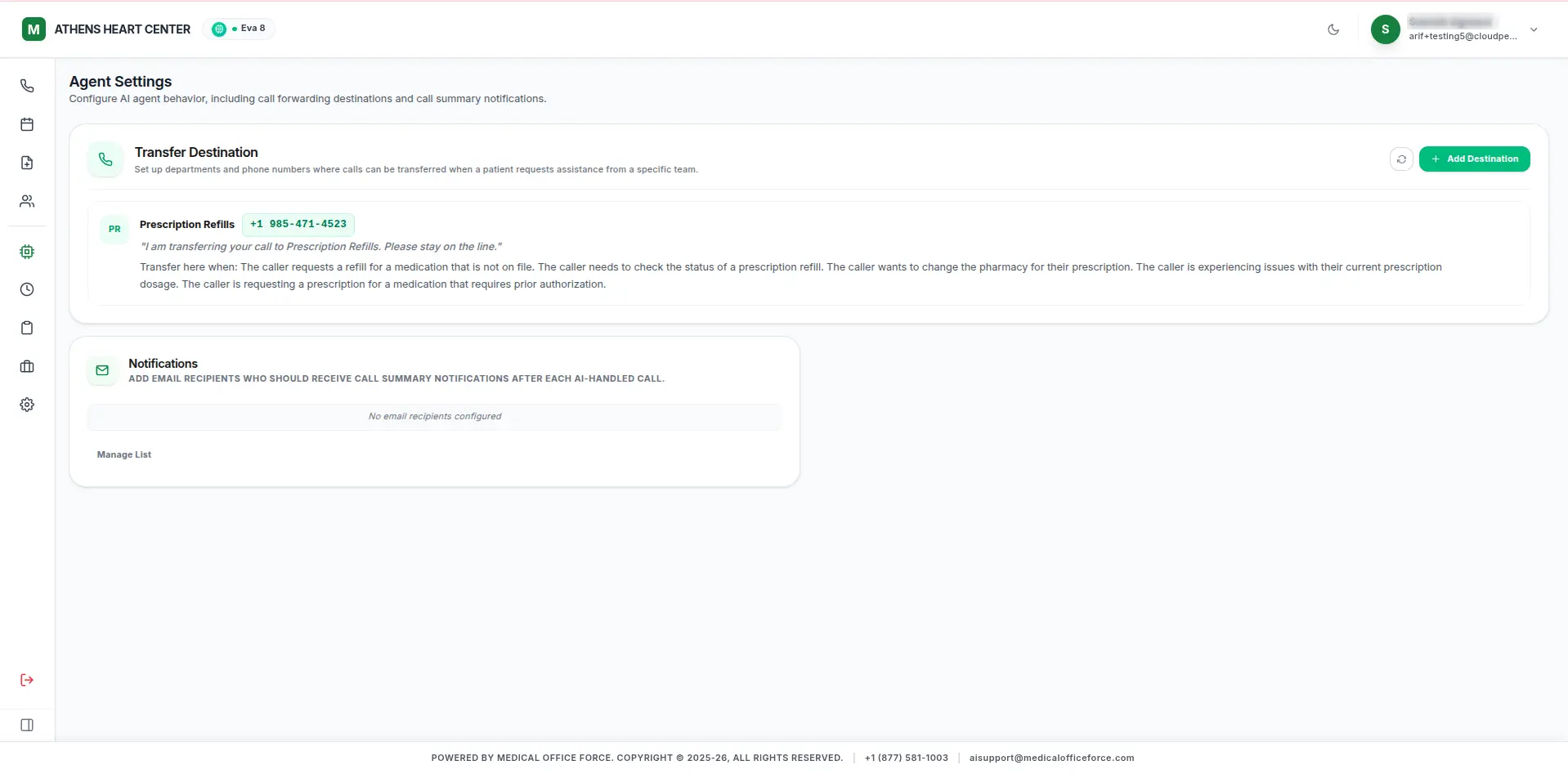
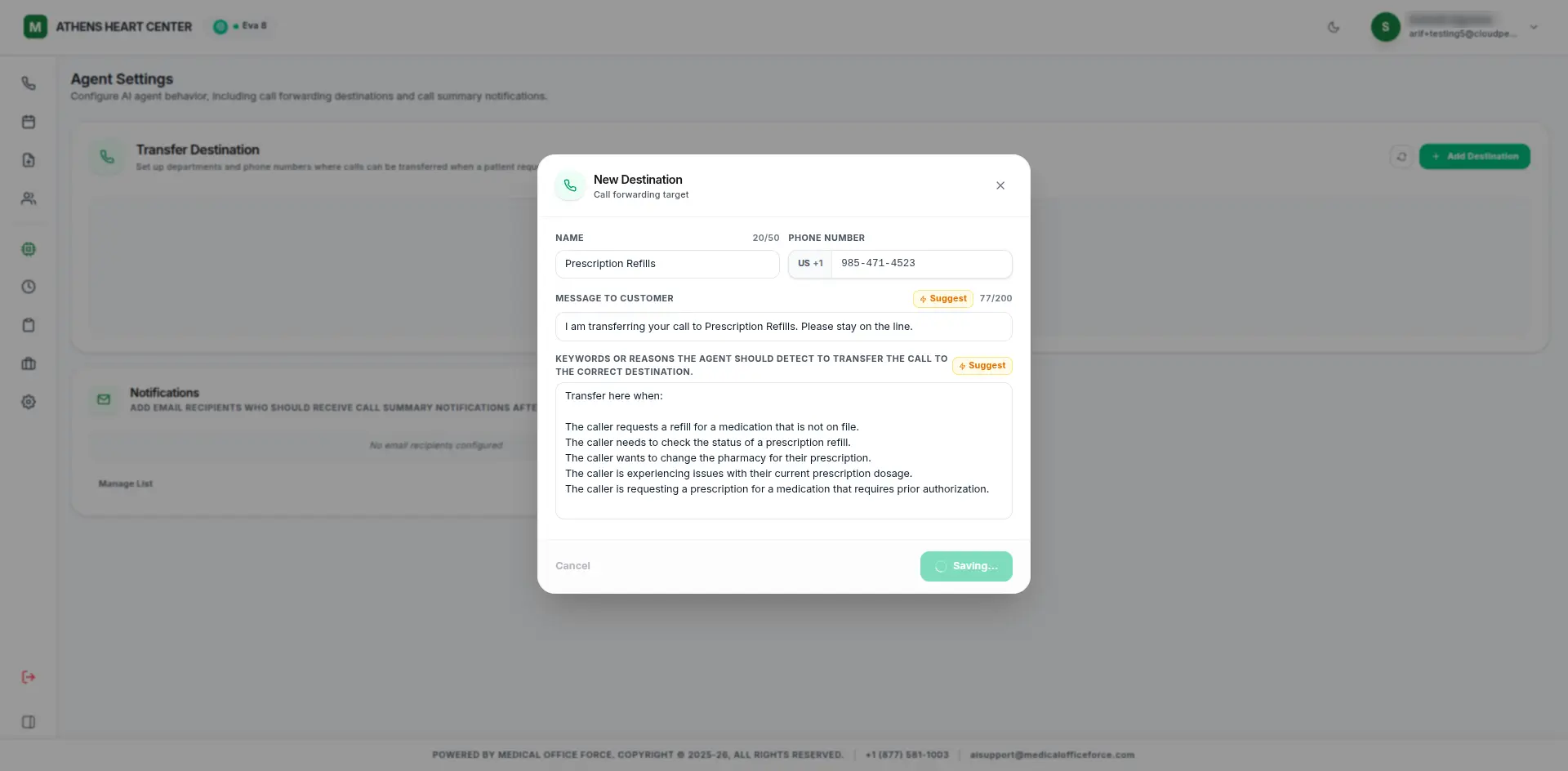
Patients request refills through the AI assistant; the system routes requests to the prescribing physician for approval.
SMS/Call Reminders
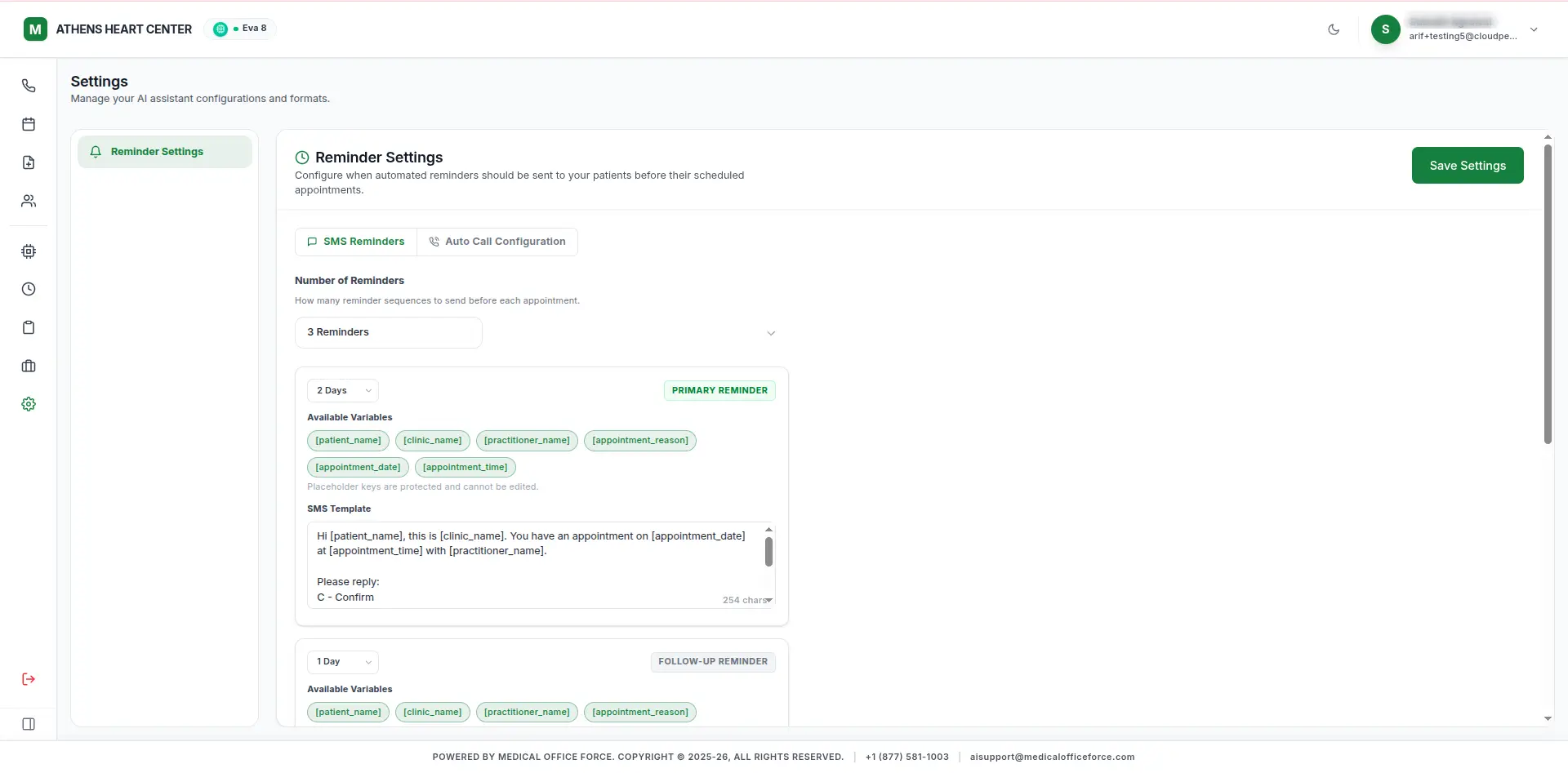
Twilio-powered automated reminders sent 48h, 24h, and 2h before each appointment.
Everything we built
into the platform.
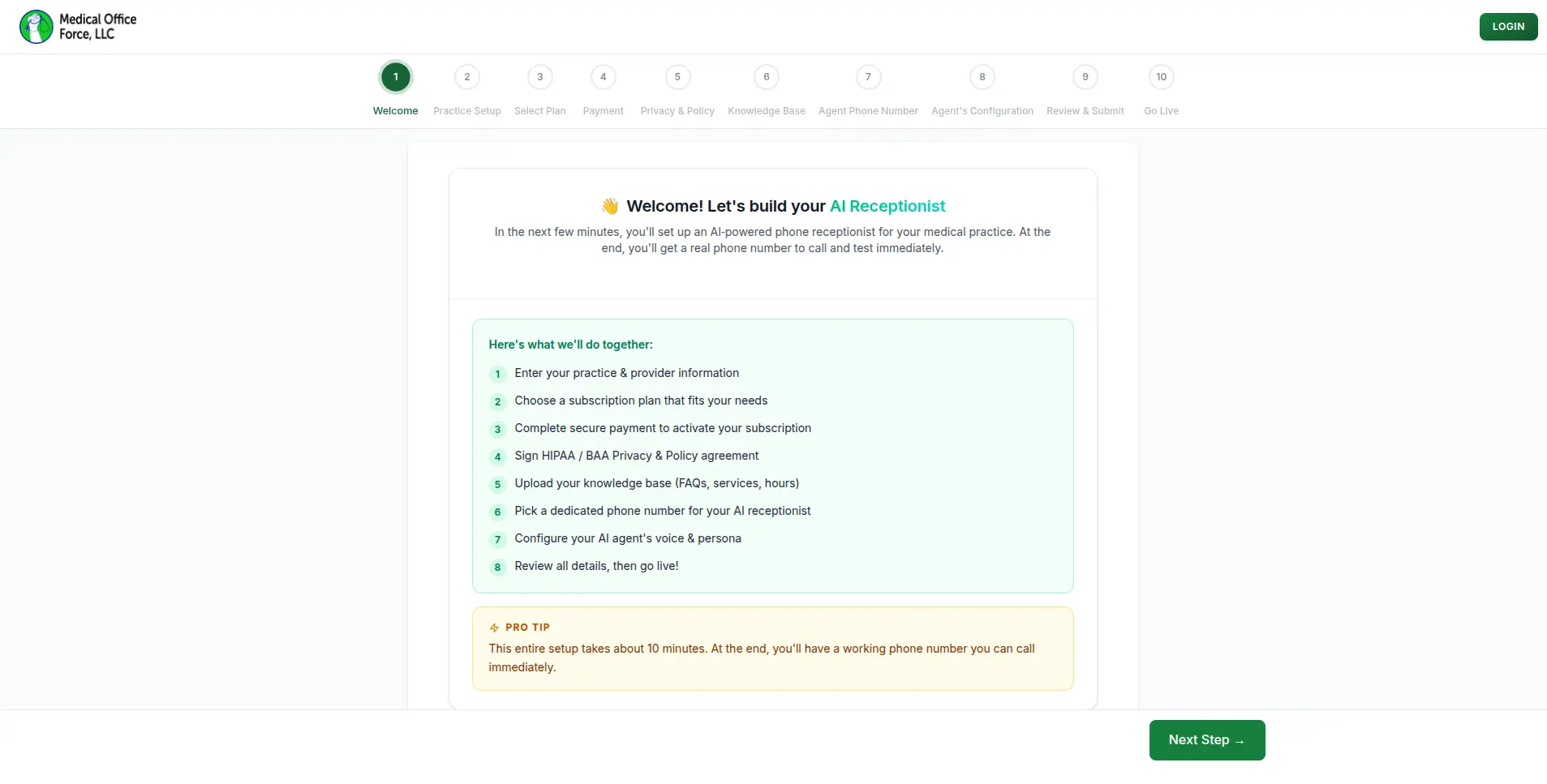
New users are walked through a 10-step setup process to fully configure their AI receptionist, starting with a welcome screen that outlines every step. The wizard tracks progress with a visual step indicator and allows users to move forward or go back at any point.
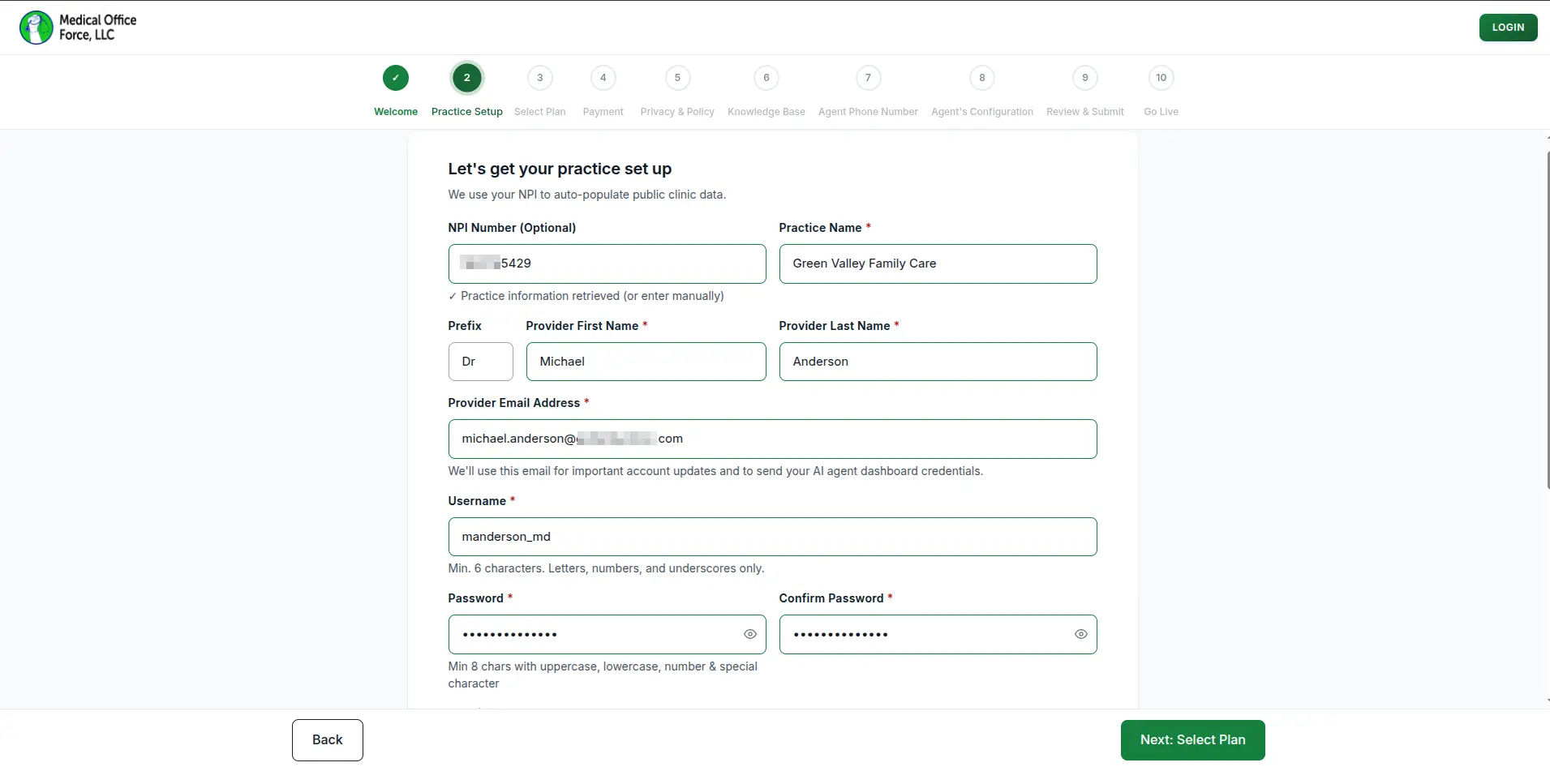
Users can enter their NPI number to automatically pull in their clinic's public information, or fill in practice details manually. The setup captures the practice name, provider name, email address, username, and a secure password to create the account.
Users can browse and select a subscription plan that fits the size and needs of their practice. Each plan displays its included features and pricing so users can make an informed choice before proceeding to payment.
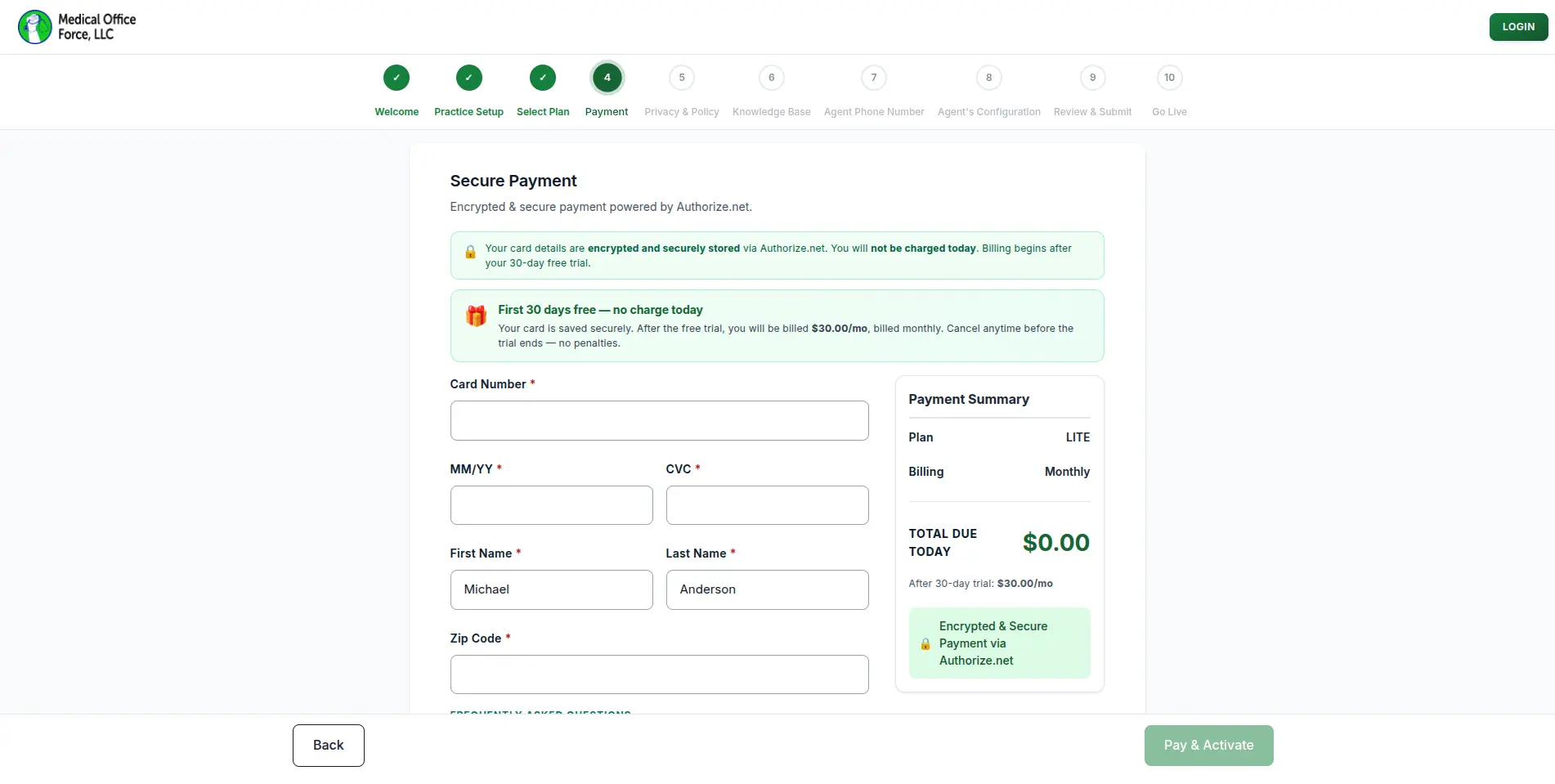
Users enter their card details through an encrypted payment form powered by Authorize.net, with a clear payment summary shown on the side. The first 30 days are completely free, and users are only billed after the trial period ends.
Users are presented with the HIPAA Business Associate Agreement and must review and sign it digitally before proceeding. This ensures compliance is captured as part of the onboarding process.
Users can build the AI agent's knowledge base by entering practice information such as the clinic bio, addresses, accepted insurance plans, provider details, services offered, and clinic policies. The system can also auto-populate this data by scraping the practice's website.
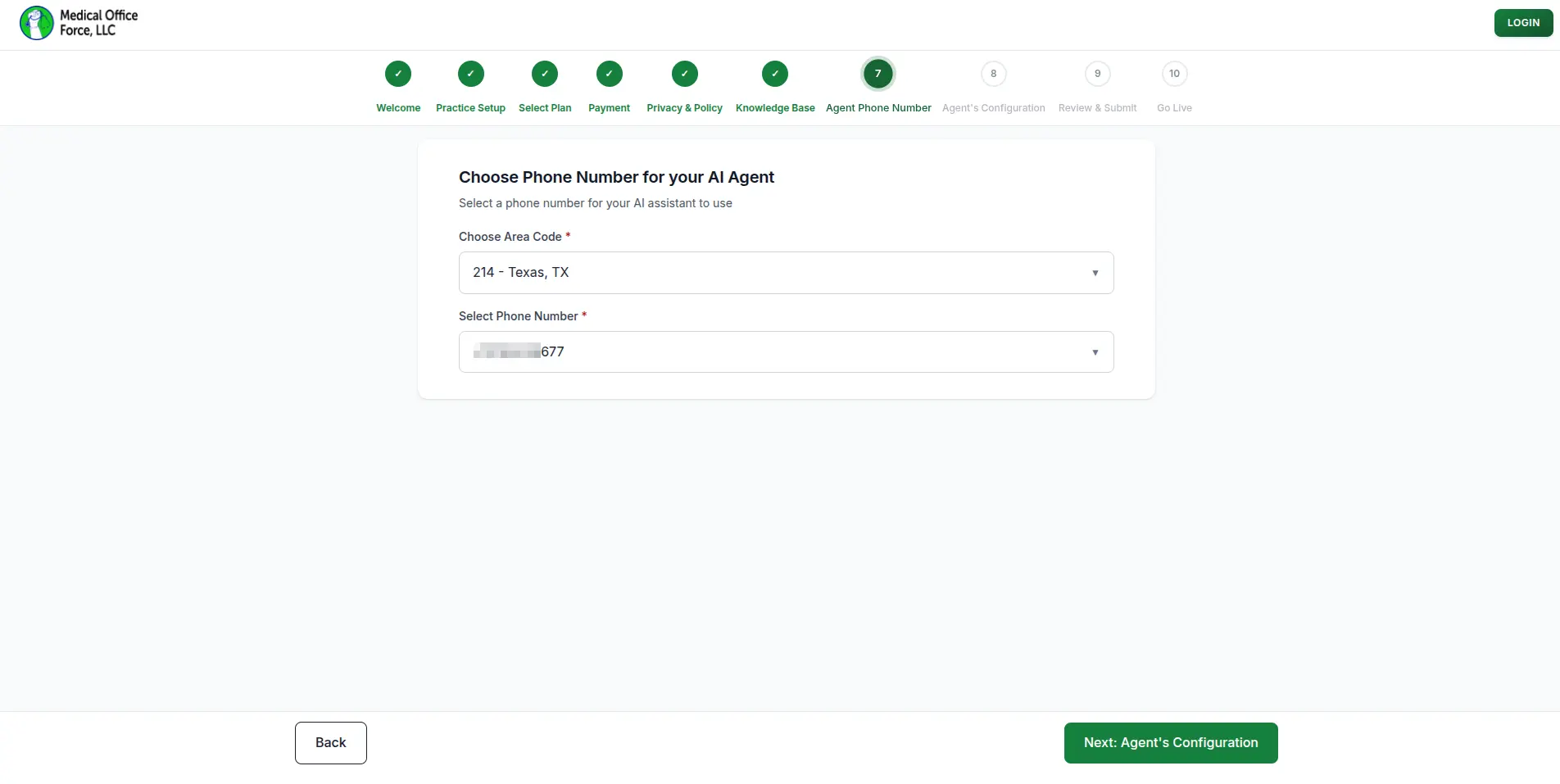
Users choose a dedicated phone number for their AI receptionist by selecting a preferred area code and picking from available numbers. This number is what patients will call to reach the AI agent.
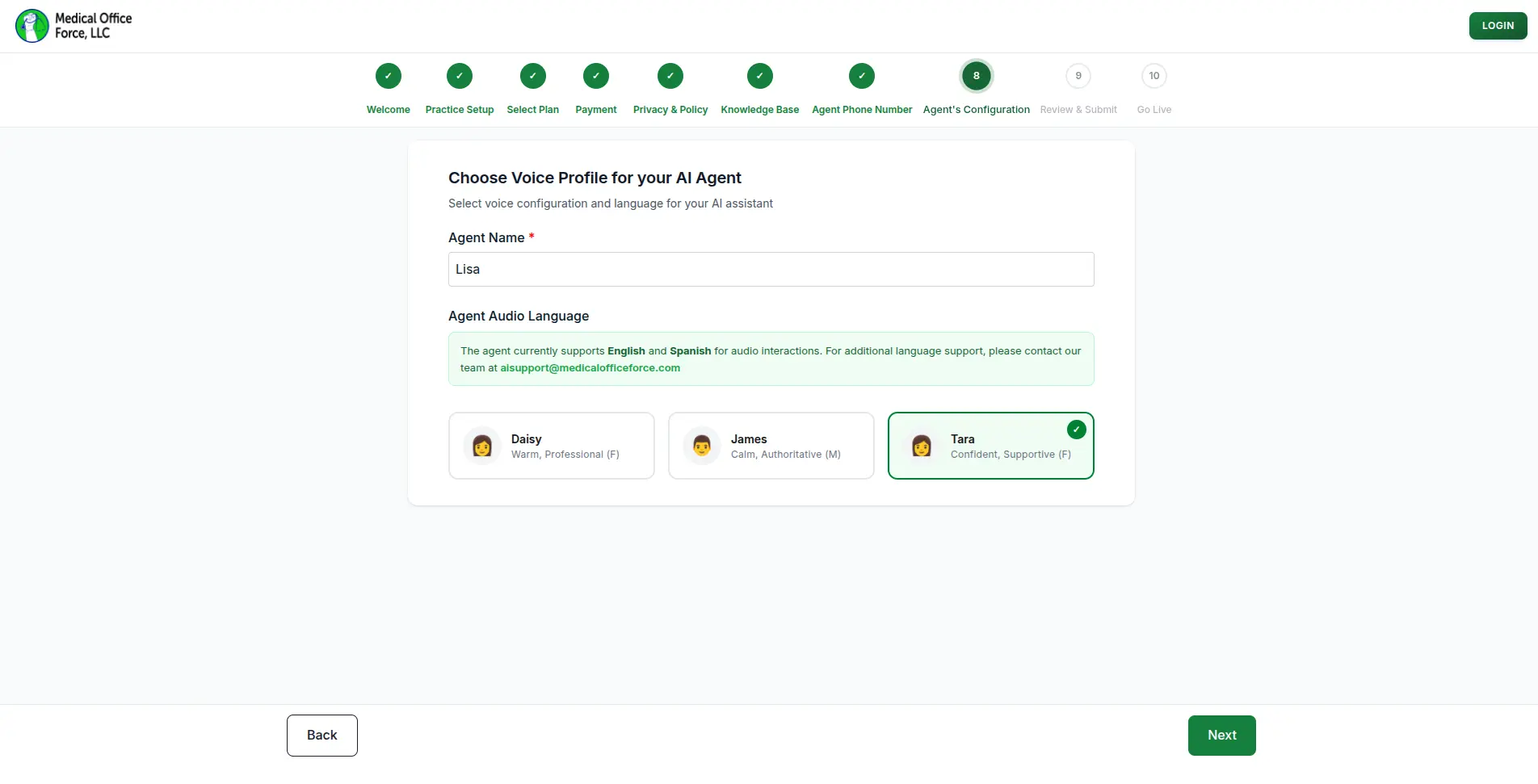
Users give their AI agent a custom name and select a voice profile from available options such as Daisy (Warm, Professional), James (Calm, Authoritative), or Tara (Confident, Supportive). The agent currently supports both English and Spanish.
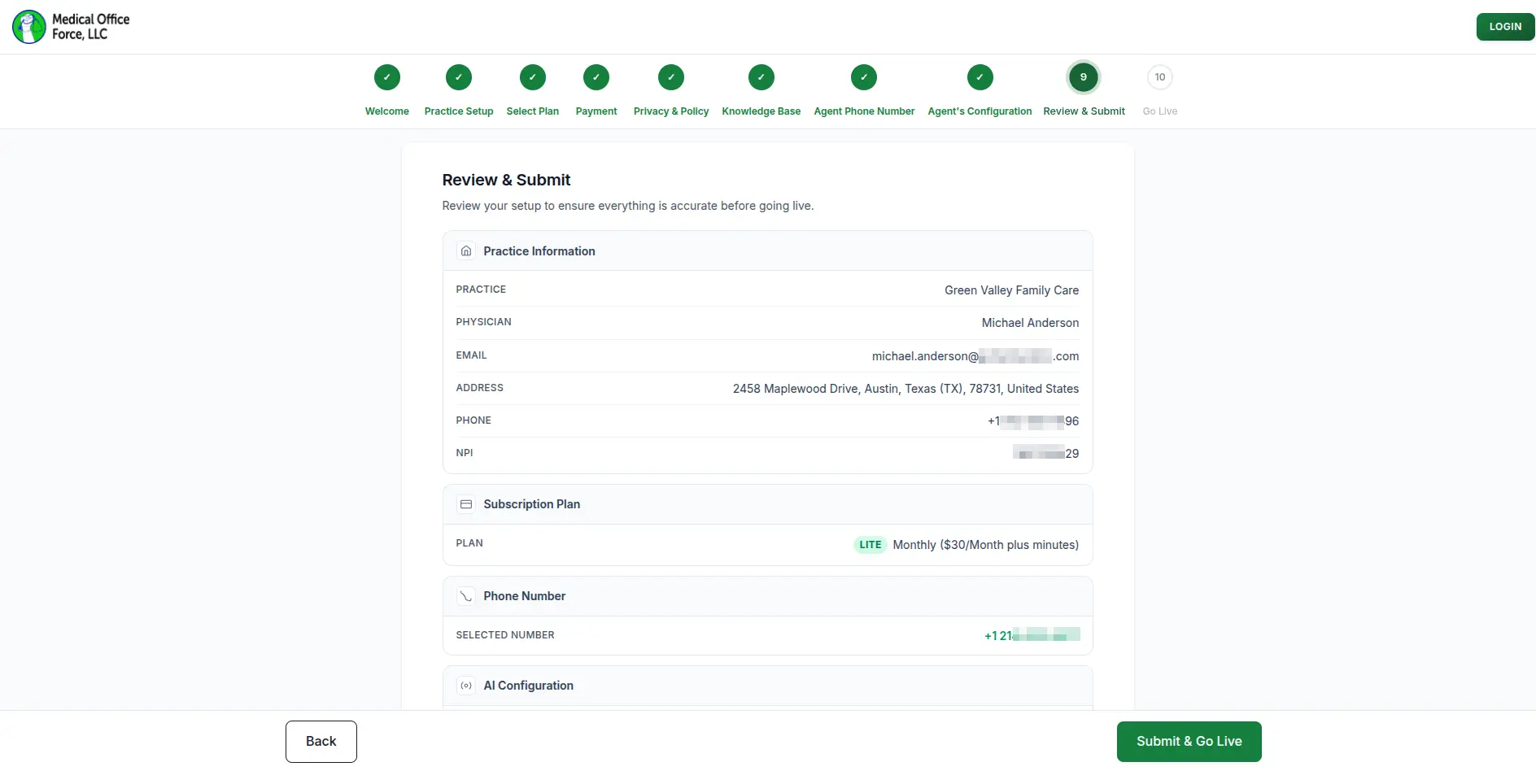
Before going live, users can review a full summary of all their setup information including practice details, subscription plan, assigned phone number, and AI configuration. Once everything looks correct, they can submit and activate their AI receptionist.
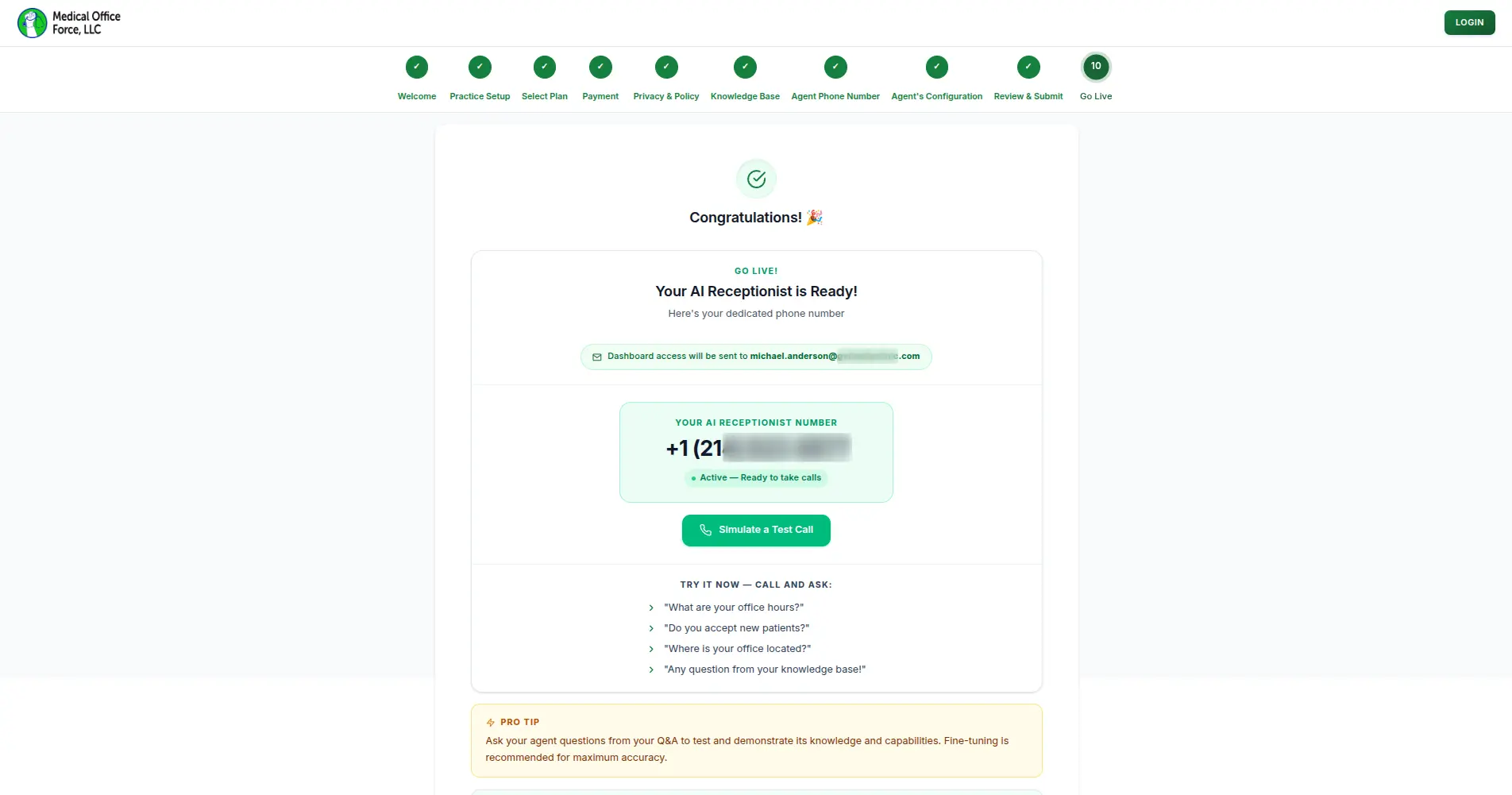
Upon successful submission, users see a confirmation screen displaying their active AI receptionist phone number. They can immediately simulate a test call directly from the dashboard to verify the agent is responding correctly.
What changed,
measured against the day-one baseline.
We benchmark before we touch anything, logging every metric below against its state before we wrote a line of production code.
What this build had to get right,
beyond the feature list.
- HIPAA Business Associate Agreement reviewed and signed digitally as a required onboarding step, before the agent goes live
- HIPAA-aware architecture
Want to build
something like this?
We ship fast. Talk to us about your product idea and we'll tell you exactly how we'd approach it.